
From order to invoice – one place for projects, time, people and money.
ProjectForge is the open-source back office for project-driven companies. Self-hosted, made for DACH and the EU, free without limits.
Open source (GPLv3) · In daily use since 2001 · English & German


Why ProjectForge?
Plan projects and orders, let your team book time in seconds, handle leave, write e-invoices and keep an eye on forecast and liquidity – all in one web app that runs on your own server.
Everything connected
Orders, tasks, timesheets, invoices and liquidity share the same data. No more copying numbers between tools and spreadsheets.
Your server, your rules
Run it on your own infrastructure – with LDAP or single sign-on, two-factor login and a full audit trail. Your data never has to leave the house.
Free. Really.
All features, any number of users, no subscription. Open source under the GPLv3 – and professional services from us, if you want them.
How it fits together
One flow, one database – from the first offer to the last euro on the bank account.
Win the order
Track offers and orders with budgets, payment schedules and contact persons.
2Plan the project
Break it down in a structure tree, plan your people and decide who may book where.
3Book the time
Your team books in seconds – from templates, the calendar or several days at once.
4Send the invoice
Turn order positions into invoices and export them as XRechnung or ZUGFeRD.
5Know your numbers
Forecast, contribution margins, invoicing quota and liquidity – always up to date.
What's inside
Everything a service company needs between sales and accounting.
Projects & Orders
Know every order, every budget and every project's status.

Time Tracking
Booking time takes seconds, not a Friday afternoon.

Leave & Availability
Who is away, who stands in, who can be reached – without an extra HR tool.

Finance & E-Invoicing
From booked hours to a compliant invoice – XRechnung and ZUGFeRD included.

Controlling & Liquidity
Know today what next quarter looks like.

Collaboration
Chat, team calendars, address book, file sharing and Word templates – the everyday things your team needs anyway.
Speaks DATEV. Knows XRechnung.
Made for companies in Germany, Austria, Switzerland and the EU.
Import your DATEV accounting records and incoming invoices, export salaries, create PEPPOL-ready e-invoices in XRechnung and ZUGFeRD, checked for completeness before export. Public holidays, leave accounts and an English/German interface are built in.

Your data. Your server. Your rules.
Digital sovereignty instead of dependence – and GDPR as a matter of your own policies.
ProjectForge runs where you want it: on your own server, in your data center or with a hoster you choose. Orders, timesheets, salaries, files and chats stay there – no vendor cloud, no third-party tracking.
- Self-hosted – you decide where the data lives, who has access, how long it is kept and when you update.
- No data in someone else’s cloud – no telemetry, no external scripts, fonts or trackers; the browser loads everything from your server.
- Open source – the code can be checked by anybody, and your data is in your own PostgreSQL database: no vendor lock-in.
- GDPR-ready by design – fine-grained rights, a full history of changes, privacy by default and chats that only their participants read in the app.
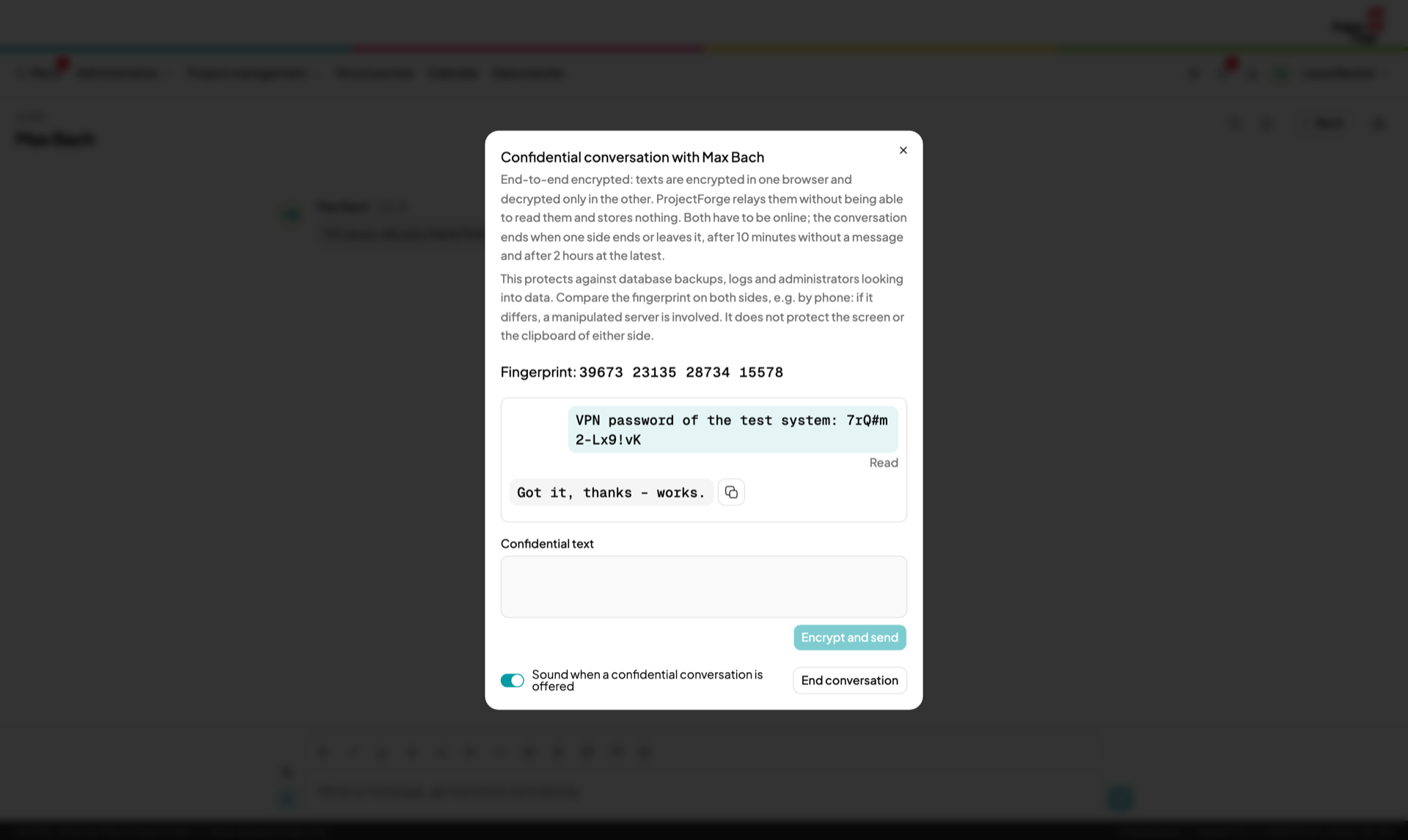
- End-to-end encrypted confidential chat messages – never stored, not even in backups.
Sleep well, admins.
ProjectForge fits into your IT – not the other way round.
- Single sign-on with Keycloak or Authentik, or LDAP – as client or as master.
- Two-factor login with authenticator apps, WebAuthn security keys, mail or SMS codes.
- Fine-grained rights down to single tasks, and every change is kept in the history.
- Docker image or JAR, PostgreSQL, automatic database migrations.
- System dashboard that collects problems and mails you a digest – before your users notice.

Talk where the work is.
A chat built into ProjectForge – no extra tool, no data in someone else's cloud.
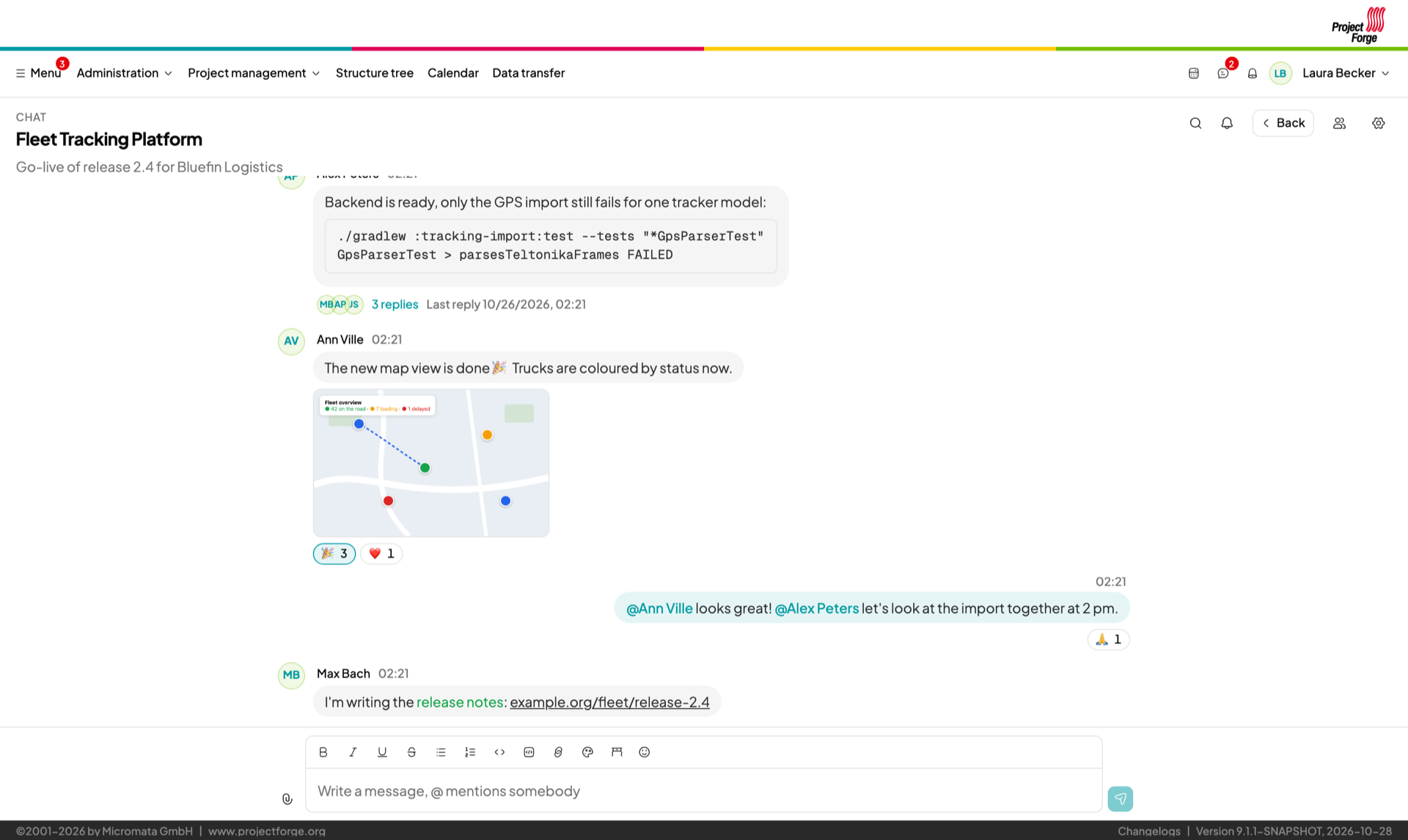
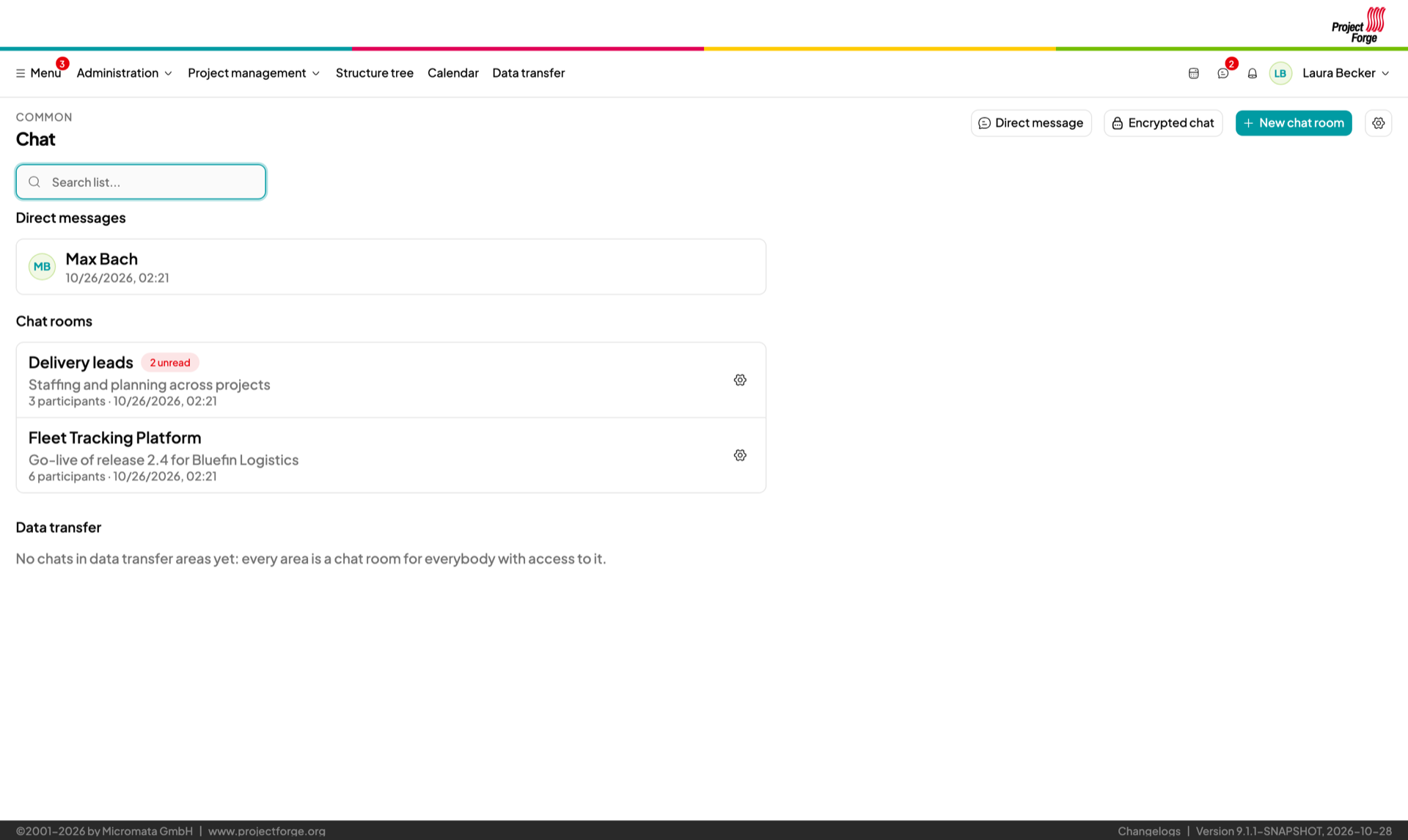
Rooms for teams, projects or customers, and direct messages to any colleague – right next to the orders, timesheets and files they are about. Messages arrive live, and everything stays on your own server.
- Rooms and direct messages – choose people and groups; whoever joins a group later is in at once. Only the participants read along, administrators neither.
- Files of any type by paste or drag & drop, stored in the data transfer and kept as long as the room says.
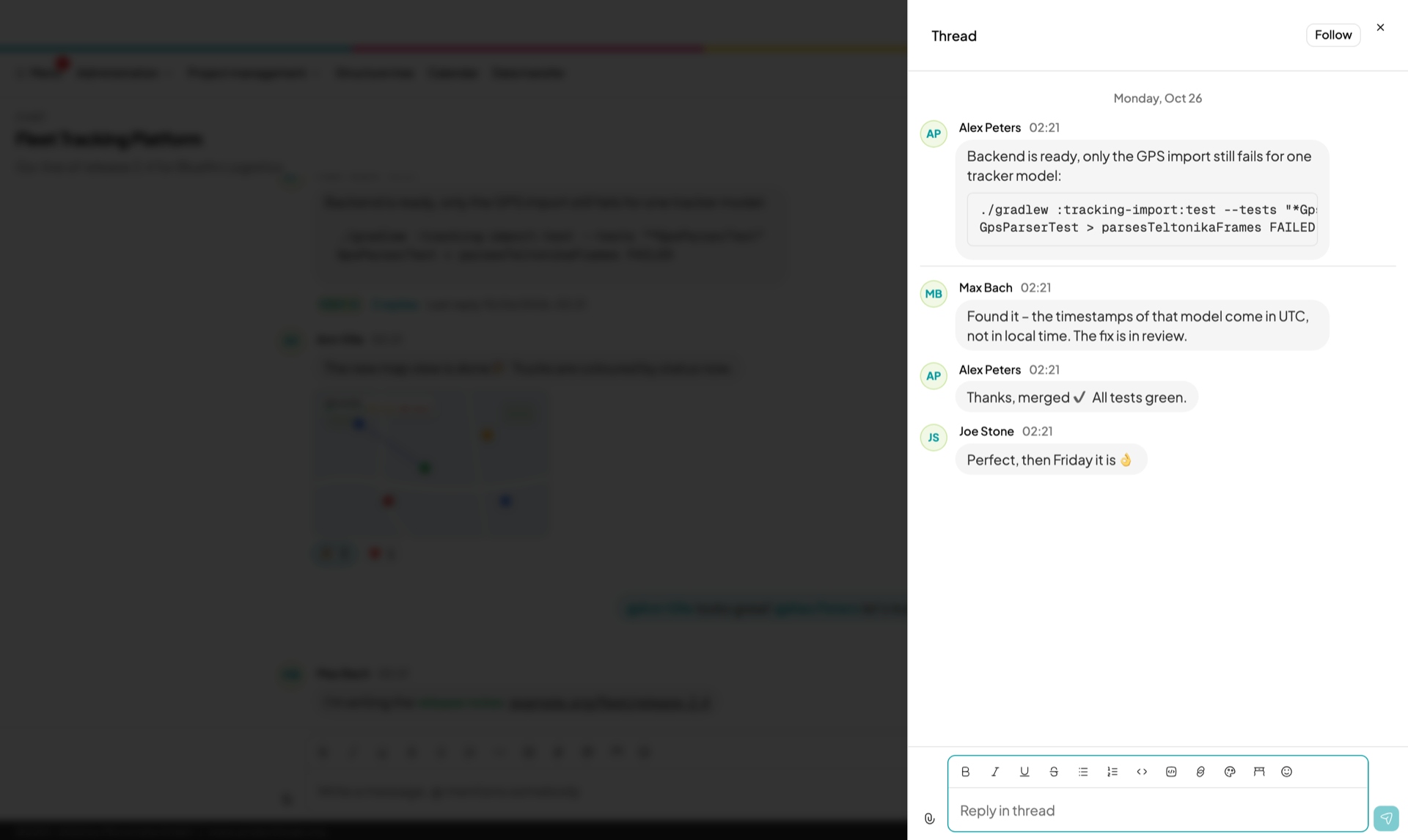
- Formatting, code blocks, emoji reactions and threads – @mentions notify at once, in the app and by mail.
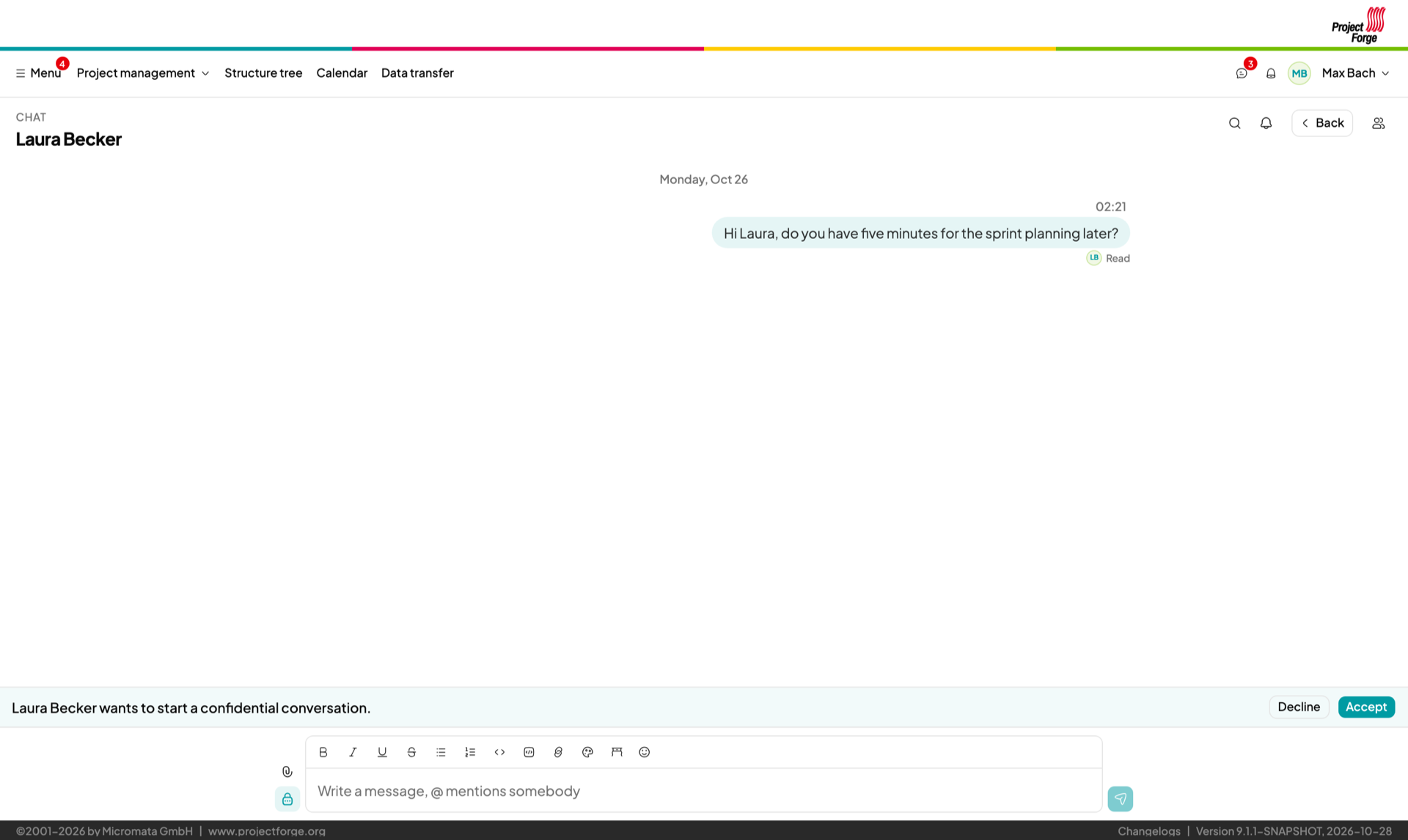
- Confidential messages for a password: end-to-end encrypted, never stored by the server, shown only once.
- Unread at a glance – mark a message unread, threads with new replies are marked, mails only for what wasn’t seen in the app.
Battle-tested since 2001.
ProjectForge started as Micromata’s own tool – and it still runs our company every day, from the first timesheet in the morning to the yearly forecast. We develop it because we need it, and we share it because good software gets better when others use it too. Version 9 (2026) brought a completely new, modern interface on an up-to-date technology stack.
Want a hand? We're here.
We built ProjectForge, so we know it best. On request we host your instance, help you set up structures, rights and cost accounting, import your existing data, connect LDAP or single sign-on, or build the extensions you need.
Frequently asked questions
Quick answers before you start
How much does it cost?
Nothing. ProjectForge is open source (GPLv3) – with all features, for any number of users and without a subscription. There’s no “enterprise edition” holding back features: we use exactly the same software to run our own company.
You only pay if you want our professional services such as hosting, support or help with the introduction.
Can you host ProjectForge for us?
Yes, on request. We run your instance, keep it up to date and take care of backups, so you can concentrate on your projects. See professional services for what we offer and how to get in touch. GitHub issues are public, so please don’t post anything confidential there. For confidential requests, use the contact details in our imprint.
Where is my data stored?
Wherever you want: ProjectForge runs on your own server, in your own data center or behind your own firewall, and keeps everything on your own server: database, file store and search index. So you decide who has access to customer data, salaries and invoices – which makes GDPR compliance a matter of your own policies. Nothing goes to a cloud of ours or of third parties, there’s no telemetry, and the code is open source: that’s digital sovereignty, without vendor lock-in. More in the user guide.
Is the chat end-to-end encrypted?
The confidential conversations are: for a password or access data, two people exchange texts that are encrypted in one browser and decrypted only in the other. The server relays them without being able to read them and stores nothing – not in the database, logs, backups or mails. The normal messages of rooms and direct messages are stored on your own server, so that they can be read later and searched; only the participants see them, administrators don’t. More in the user guide.
Do you provide support?
Community support: post your questions, bug reports and wishes as GitHub issues. We read them – after all, we’re using ProjectForge every day ourselves.
Professional support: do you need fast response times, help with installation, updates or interfaces? Ask us for professional services tailored to your company.
How do I report bugs or request features?
Please open an issue in the GitHub issue tracker. You need a (free) GitHub account to create issues.
Which languages are supported?
The interface is available in English and German; every user chooses their own language. Mails are sent in the language of the recipient.
We're using spreadsheets and other tools today. How do we get our data in?
ProjectForge imports a lot of data you already have: DATEV accounting records and chart of accounts (the Excel file from your tax advisor), incoming invoices from a DATEV CSV export, bank account statements, salaries from Excel, and external calendars. For everything else – customers, projects, orders or timesheets from your current tools – we’re happy to help as part of our professional services.
Ready in five minutes.
Grab the Docker image, start it, follow the setup wizard. That's it.